Skip to content
All tutorials

Tutorial

Collect preferences and publish live

Use preference collection and manager review before a schedule becomes the final live version.

Audience: Managers running the preference and publication stages of the schedule lifecycle

Last reviewed: April 14, 2026

Before you start

  • At least one draft schedule already exists
  • Employees are available to submit preferences

The most important thing after draft creation is not immediate publication. It is collecting employee input, reviewing the result, and only then deciding whether the schedule is ready to go live.

1. Publish the draft for preferences

From the schedule detail or review surface, move the draft into the preference-collection stage. This opens the window for employees to submit their input before the live schedule is finalized.
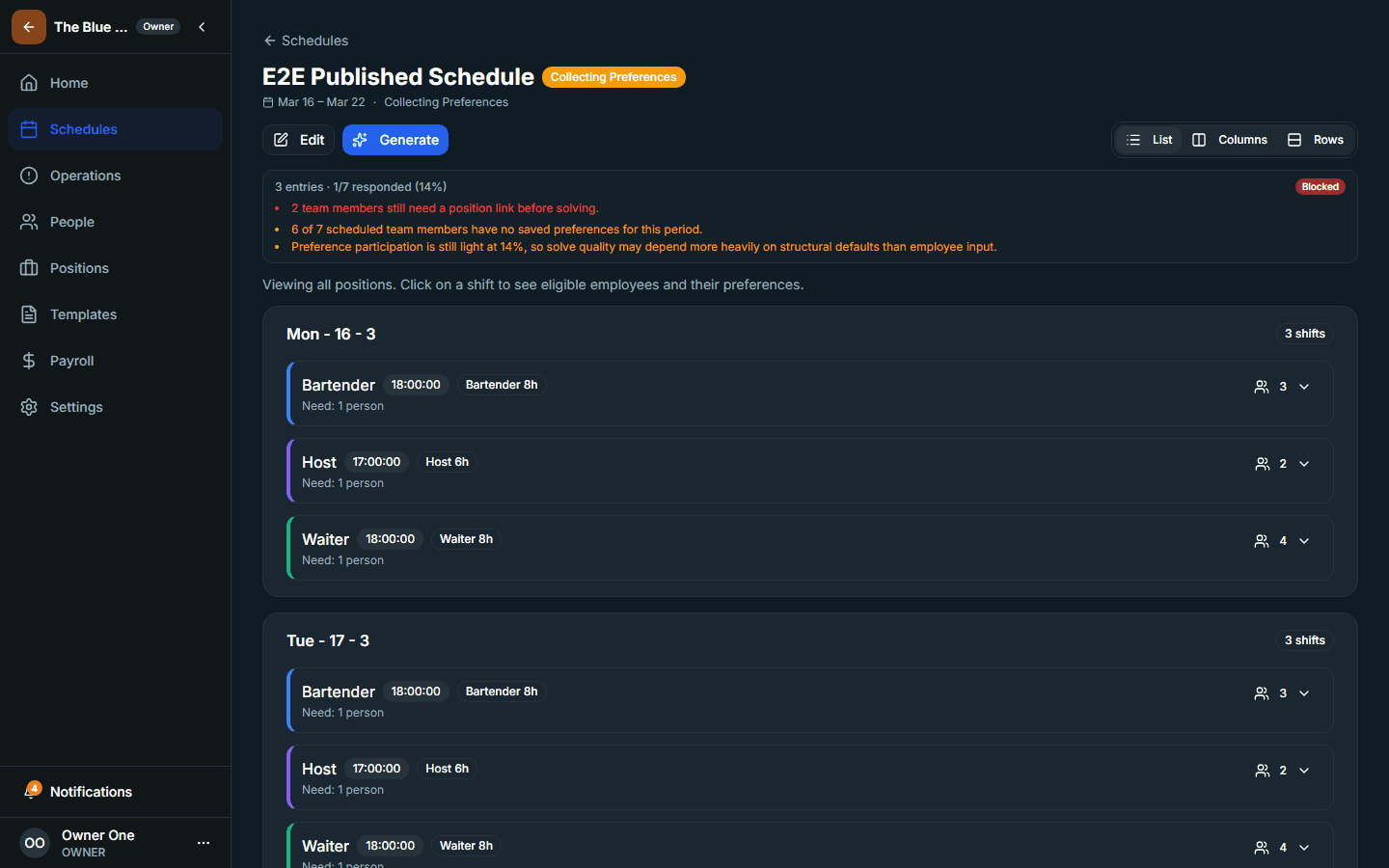
Schedule detail page showing preference collection status.
Preference collection is a distinct lifecycle stage, not a hidden side effect.

2. Review the employee experience as well

Check the employee-facing preference path so you understand what the team is being asked to do. This keeps the manager review grounded in the actual employee workflow.
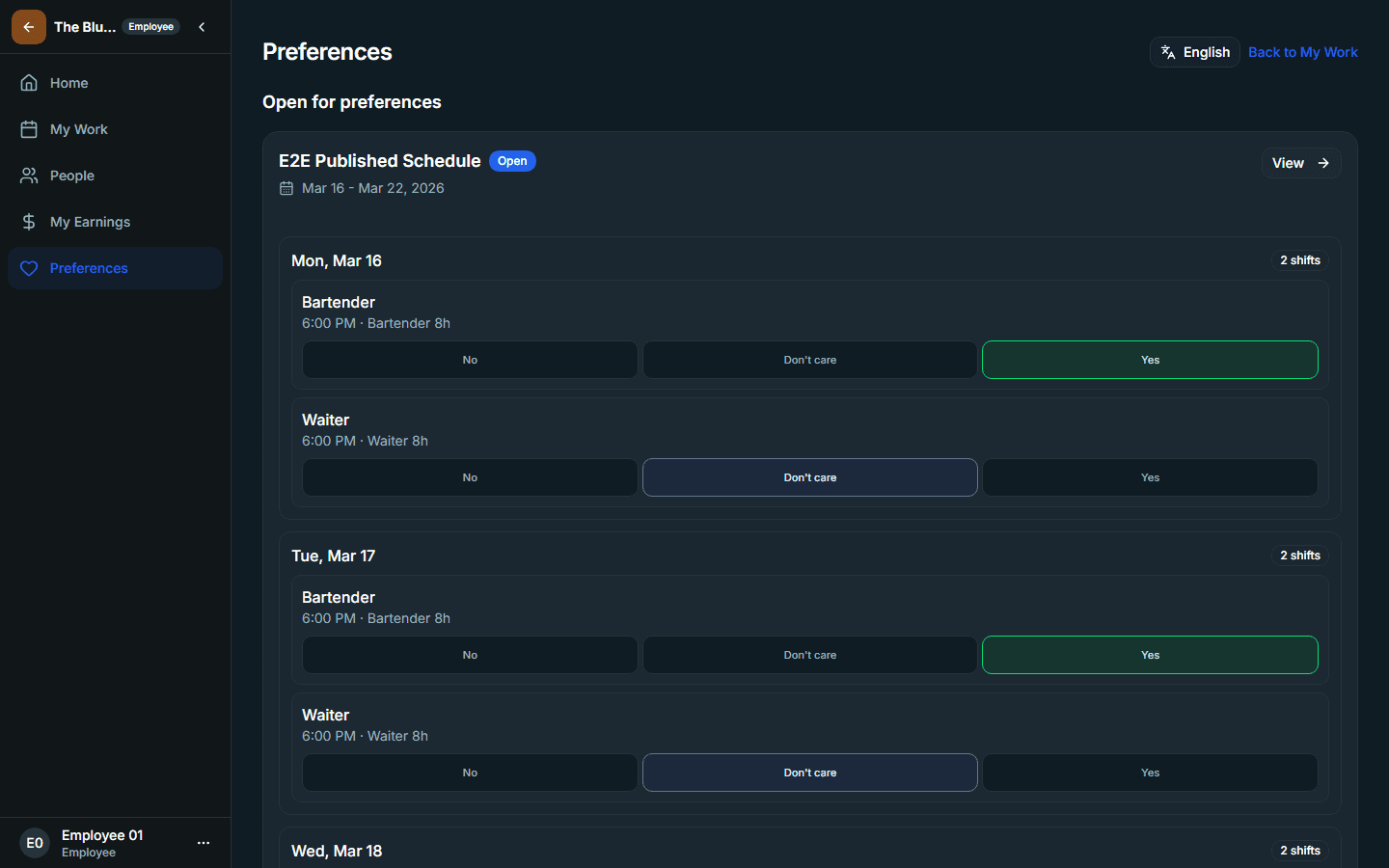
Employee preference page used during preference collection.
Managers should understand the employee submission path before they interpret participation or weak-response signals.

3. Review readiness before the live release

  1. Check whether employee participation is strong enough to inform the review
  2. Review the schedule result and any publication warnings
  3. Publish live only when the schedule is operationally ready
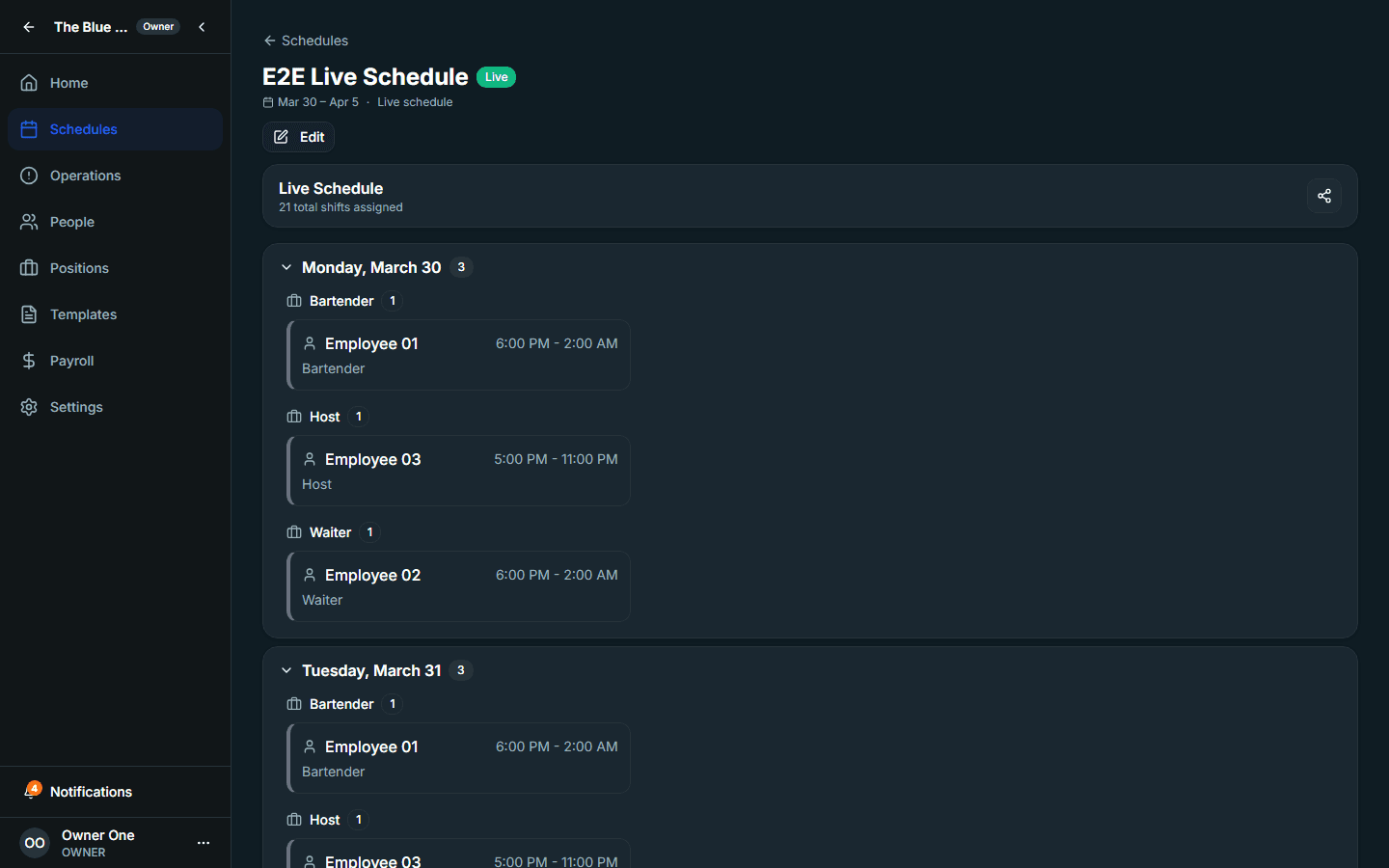
Manager schedule review page before live publication.
Treat the live publication step as the end of review, not the start of it.

Where you'll use this in the app

  • Schedule details
  • Preferences

Privacy choices

Choose whether Intermio may load optional analytics and performance telemetry

Necessary product operations and Intermio's minimal Sentry monitoring stay on. GA4, Vercel Analytics, and Vercel Speed Insights stay off until you allow them.